
.png)
Description
Download Amazing CV – AI‑Powered Resume Builder & Formatting Tool
Overview
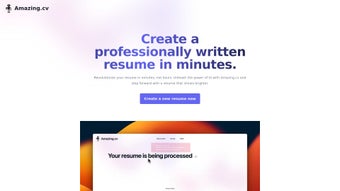
Amazing CV is a next‑generation, AI‑driven resume creation platform that turns ordinary CVs into polished, recruiter‑ready documents in just a few clicks. The service is built around a simple upload‑and‑revise workflow: users drag their existing CV file into the web interface, and the underlying neural network analyses the content, extracts key achievements, and reorganises the information according to industry‑best practices. The result is a clean, modern layout that highlights skills, quantifies impact, and aligns with the language recruiters expect. While the free tier grants two watermark‑protected downloads per month, the premium plan removes watermarks, expands the monthly upload quota to five, unlocks multilingual support, and offers a library of professionally designed templates. By automating time‑consuming formatting tasks, Amazing CV frees job seekers to focus on tailoring their narrative rather than fiddling with fonts and spacing. The platform is cloud‑based, meaning updates roll out instantly and users can access their drafts from any device with an internet connection. Security is a core priority: all uploads are encrypted in transit, stored temporarily, and deleted after processing, ensuring personal data never lingers on the server longer than necessary. Whether you’re a recent graduate polishing your first résumé, a mid‑career professional seeking a promotion, or a hiring manager looking for a quick way to standardise candidate submissions, Amazing CV delivers a blend of speed, accuracy, and visual appeal that traditional word‑processor templates simply cannot match.
Key Features & Capabilities
- AI‑Powered Content Optimisation – Natural‑language processing scans the uploaded CV, identifies action verbs, quantifies results, and suggests improvements to increase ATS (Applicant Tracking System) compatibility.
- Professional Template Library – Over 30 modern designs tailored for tech, finance, creative, and executive roles, each fully responsive and printable in PDF.
- Multi‑Language Support – Premium users can generate resumes in English, Spanish, German, French, and Mandarin, with automatic localisation of terminology.
- Watermark‑Free Downloads – Premium plan removes the “Created with Amazing CV” watermark, delivering a clean final document ready for submission.
- Editable Content Blocks – After AI generation, users can manually edit any section, reorder headings, or add custom sections such as “Publications” or “Patents.”
- Author Attribution – Choose a virtual “author” (e.g., “Career Coach AI”) that appears in the footer, adding credibility for freelance or consulting profiles.
- Secure Cloud Processing – All files are encrypted via TLS 1.3, processed on isolated containers, and automatically purged after 24 hours.
- Version History & Export Options – Keep track of changes, revert to previous versions, and export to PDF, DOCX, or plain‑text formats.
- Integrations & API Access – For businesses, an API endpoint allows bulk resume generation directly from HRIS systems.
- Responsive Support & Community Forum – Live chat, email support, and a user community share template tips and industry‑specific phrasing.
The feature set is deliberately organised around the two biggest pain points in resume creation: content relevance and visual presentation. By leveraging AI, Amazing CV not only corrects grammar and style but also recommends measurable achievements that recruiters love to see (e.g., “Increased sales by 27 % within six months”). The template library is continuously refreshed based on design trends, ensuring every download feels contemporary. Multi‑language capabilities are particularly valuable for global professionals who need to adapt their CV for different markets without starting from scratch. The combination of automated optimisation and manual editability gives users full control while still benefitting from machine‑learning insights.
Installation, Compatibility & How to Use
Because Amazing CV is a web‑based SaaS platform, there is no traditional installation required. Users simply need a modern browser (Chrome, Firefox, Edge, Safari) and an internet connection. The service runs on a secure cloud infrastructure that is compatible with all major operating systems, including Windows 10/11, macOS 12+, Linux, Android 8+, and iOS 13+. The operating system compatibility is therefore effectively universal, making it an ideal choice for students on campus computers, remote workers on MacBooks, and recruiters accessing the tool from tablets during travel.
Step‑by‑step usage guide:
- Create an account – Sign up with an email address or use Google/LinkedIn OAuth for instant access. The free tier is automatically enabled after verification.
- Upload your current CV – Drag‑and‑drop a PDF, DOCX, or plain‑text file onto the upload zone. The AI engine begins analysing within seconds.
- Select a template – Browse the visual catalogue, filter by industry or style, and preview each layout with your content populated.
- Review AI suggestions – A sidebar highlights recommended changes: stronger verbs, quantified results, and optional sections. Click “Apply All” to accept or edit individually.
- Customise manually – Use the inline editor to adjust phrasing, move sections, or add new headings. All changes are saved in real time.
- Choose download options – For free users, select “Download with watermark.” Premium users can toggle “Watermark‑free PDF,” “DOCX,” or “Plain Text.”
- Export and share – Download the final file, or generate a shareable link that expires after 48 hours for secure collaboration.
Because the platform is cloud‑native, updates are seamless – new templates, AI model improvements, and security patches are pushed automatically without user intervention. For organisations, the admin console offers user‑level permission controls, usage analytics, and bulk licence management. In short, the onboarding experience is designed to be frictionless: no installers, no version conflicts, and a consistent interface across Windows, macOS, Android, and iOS devices.
Pros and Cons
Pros
- AI‑driven content optimisation saves hours of manual editing.
- Extensive library of modern, industry‑specific templates.
- Multi‑language support expands reach for global job seekers.
- Cloud‑based, no installation needed; works on any OS.
- Secure, encrypted processing protects personal data.
- Free tier available for occasional users.
- Premium plan removes watermarks and adds advanced features.
- Version history and multiple export formats (PDF, DOCX, TXT).
- API access for enterprise bulk‑resume generation.
- Responsive support and active community forum.
Cons
- Free tier limits uploads to two per month and adds a watermark.
- Requires an internet connection; offline editing not supported.
- AI suggestions may need manual tweaking for niche industries.
- Premium pricing may be steep for students on a tight budget.
- Complex templates can increase PDF file size.
Frequently Asked Questions
Is Amazing CV safe for uploading personal data?
Yes. All uploads are transmitted over TLS 1.3 encryption, processed in isolated containers, and automatically deleted from our servers after 24 hours. We do not share your information with third parties.
Can I use Amazing CV on a mobile device?
Absolutely. The platform is responsive and works on Android 8+ and iOS 13+ browsers. You can upload, edit, and download resumes directly from a smartphone or tablet.
What file formats are supported for upload?
Amazing CV accepts PDF, DOCX, and plain‑text (.txt) files. The AI engine extracts text from PDFs using OCR when necessary.
How does the premium plan differ from the free tier?
Premium users enjoy watermark‑free downloads, up to five monthly uploads, access to all templates, multi‑language generation, and priority customer support. The free tier is limited to two uploads per month and adds a subtle “Created with Amazing CV” watermark.
Is there an API for bulk resume creation?
Yes. Enterprise customers can obtain API credentials from the admin console. The RESTful endpoint accepts JSON payloads with raw CV data and returns formatted PDFs or DOCX files.
Conclusion & Call to Action
In a job market where a well‑crafted résumé can be the difference between landing an interview or being overlooked, Amazing CV offers a compelling blend of AI intelligence, design polish, and cross‑platform accessibility. The free plan provides a risk‑free way to test the watermark‑protected output, while the premium subscription unlocks a professional, watermark‑free experience with multilingual capabilities and a broader template selection. Users consistently praise the time saved on formatting and the boost in confidence that comes from seeing their achievements highlighted with data‑driven language.
If you’re ready to upgrade your job‑search toolkit, download Amazing CV now and start transforming your existing CV into a recruiter‑ready masterpiece. Remember, the first two premium uploads are free during the trial period, so you can experience the full feature set without commitment. Elevate your professional brand today – a stronger resume is just a click away.
Rating: 4.5/5
Pros: AI optimisation, diverse templates, multi‑language, cloud security.
Cons: Limited free uploads, no offline mode.
Guides & Tutorials for Amazing CV
How to install Amazing CV
- Click the Preview / Download button above.
- Once redirected, accept the terms and click Install.
- Wait for the Amazing CV download to finish on your device.
How to use Amazing CV
This software is primarily used for its core features described above. Open the app after installation to explore its capabilities.
User Reviews for Amazing CV 0
No reviews found




